Claude MCP Servers, Agents, and Skills Explained

The AI tooling around Claude Code has grown fast. According to the Stack Overflow 2025 Developer Survey (65,000+ respondents), 84% of developers now use or plan to use AI tools, and 52% say AI agents have already changed how they complete work. But the vocabulary around those agents, MCPs, and Skills trips people up constantly.
This post breaks it all down. You’ll learn what MCP servers actually do, how Claude Code agents reason and act, what Skills are and why they exist, and how the three fit together into a coherent system. No prior experience with any of them required.
Continue reading: Getting started with Claude Code — install, authenticate, first session, CLAUDE.md, hooks, and MCP setup in one tutorial.
Key Takeaways
- MCP (Model Context Protocol) is an open standard that lets AI apps connect to external tools and data via a common interface — announced by Anthropic in November 2024, adopted by the Linux Foundation in December 2025.
- Claude Code agents read your codebase, edit files, run commands, and can spawn subagents for parallel tasks.
- Agent Skills are portable folders of instructions and scripts that Claude loads only when needed, keeping sessions efficient.
- 52% of developers say AI agents have changed how they work (Stack Overflow 2025).
- MCP, agents, and Skills aren’t the same thing — but they’re designed to work together.
Start on Claude Bazaar
Getting started with Claude Code
Install, authenticate, and wire up MCP, hooks, and CLAUDE.md.
What are MCP servers?
How MCP works, categories, and how servers differ from skills.
What are Claude Code skills?
Skills vs plugins vs MCP — when to use each.
How to extend Claude Code
Pick skills, plugins, or MCP servers for your workflow.
What Is the Model Context Protocol (MCP)?
MCP is an open-source standard that gives AI applications a single, consistent way to connect to external systems. According to Nevermined AI, MCP SDK monthly downloads grew from roughly 100,000 in November 2024 to 8 million by April 2025 — an 8,000% surge in five months. Clearly, it struck a nerve.
Before MCP, every AI tool needed a custom connector for every data source. Connect five tools to five data sources, and you’re writing 25 bespoke integrations. Anthropic called this the “N×M problem.” MCP solves it by providing one standard on both sides: AI applications speak MCP, external systems expose MCP, and they understand each other automatically.
Anthropic announced MCP in November 2024 as an open-source project. In December 2025, they donated the specification to the Linux Foundation, making it a vendor-neutral open standard. Over 14,000 MCP servers are now cataloged, and 54% of developers believe it will become the industry standard (Nevermined AI, 2025).
Think of it like USB-C for AI. USB-C didn’t change what devices could do. It just meant one cable worked everywhere. MCP does the same thing for AI-to-tool connections.

Citation Capsule: MCP is an open-source protocol, donated to the Linux Foundation in December 2025, that standardizes how AI applications connect to external systems. Monthly SDK downloads grew from 100,000 in November 2024 to 8 million in April 2025 — an 8,000% increase in five months (Nevermined AI, 2025).
Directory: Browse the full MCP server directory on Claude Bazaar — each listing includes install commands, tags, and links to source.
What Does an MCP Server Actually Do?
An MCP server is a lightweight process that exposes external capabilities to an AI application through a standardized interface. To put a number on the problem it solves: over 14,000 MCP servers exist today (Nevermined AI, 2025), each wrapping a different tool or data source in the same predictable format.
Every MCP server exposes some combination of three primitive types:
- Tools — executable functions the model can call. Examples: query a database, send a Slack message, create a GitHub issue.
- Resources — file-like structured data the model can read. Examples: documentation, schema definitions, configuration files.
- Prompts — predefined instruction templates that can be injected into the model’s context.

When Claude Code connects to an MCP server, it discovers what tools and resources are available, then decides autonomously whether and when to use them. You don’t have to tell Claude “use the database tool.” You ask your question, and Claude figures out that querying the database is the right move.
Here’s what a basic MCP server config looks like in your project’s .mcp.json:
{
  "mcpServers": {
    "postgres": {
      "command": "npx",
      "args": ["-y", "@modelcontextprotocol/server-postgres"],
      "env": {
        "DATABASE_URL": "postgresql://localhost:5432/mydb"
      }
    }
  }
}
From that point on, Claude Code can query your database directly when answering questions about your data layer. It’s not magic — it’s a well-defined contract.
Citation Capsule: An MCP server exposes Tools (executable functions), Resources (structured data), and Prompts (instruction templates) to AI applications through a standardized interface. This eliminates the N×M integration problem, where connecting five AI tools to five data sources previously required 25 separate custom connectors.
Popular servers: See top MCP servers ranked by community usage, or explore MCP by category (databases, APIs, dev tools, and more).
How Do Claude Code Agents Work?
Claude Code is a terminal-based AI agent that reads your codebase, edits files, and runs commands. The Stack Overflow 2025 Developer Survey found 40.8% of developers used Claude in the past year, and 69% of those using AI agents report personal productivity increases. That’s not a coincidence — agents are qualitatively different from chat interfaces.
The key distinction is autonomy. A chat tool answers questions. An agent acts. Claude Code follows a loop:
- Receive a task from you.
- Read relevant files to build context.
- Plan a sequence of actions.
- Execute each action, requesting your approval for file changes.
- Observe the result and adjust if needed.
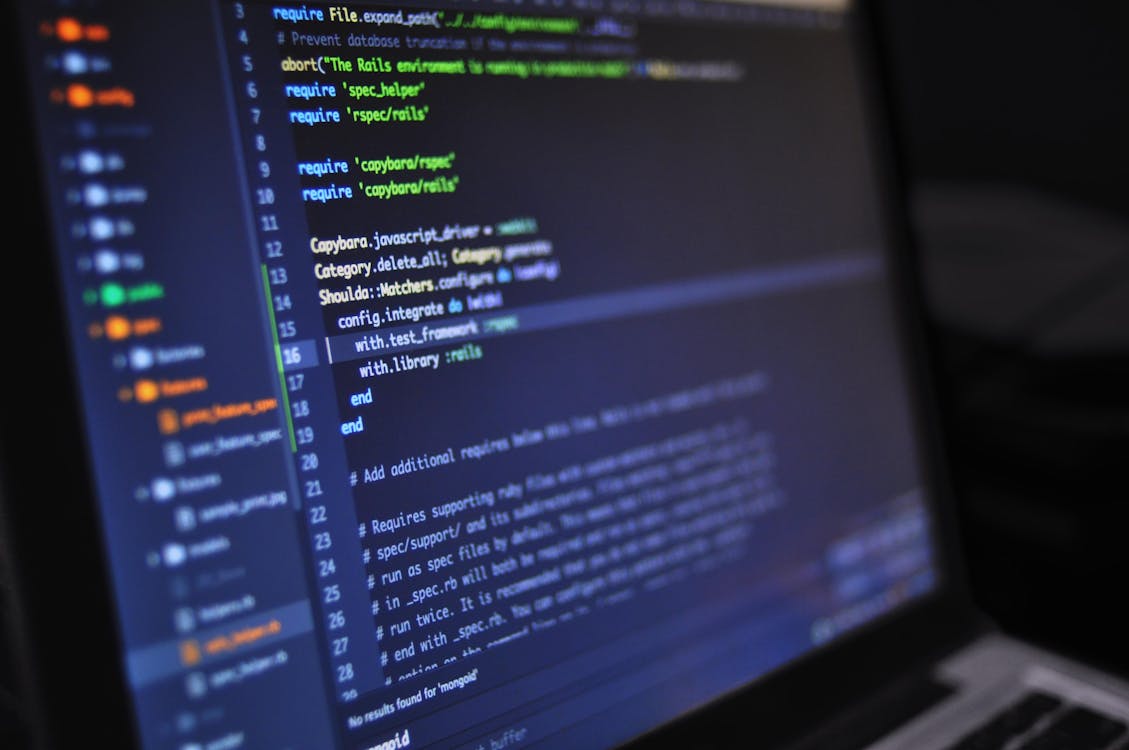
[UNIQUE INSIGHT] Most developers think of Claude Code as an autocomplete tool that got smarter. It’s not. The architecture is fundamentally different: Claude Code reasons across your entire project, not just the file in front of you. When you ask it to add a feature, it might read eight files across four directories before writing a single line of code. That multi-file reasoning is what makes it genuinely agentic.
Claude Code launched as a research preview on February 24, 2025, and reached general availability in May 2025. It integrates with VS Code, JetBrains IDEs, and any terminal environment.
For large tasks, Claude Code can spawn subagents — independent agent instances that handle subtasks in parallel. Ask it to refactor all API routes, and it might spawn a separate process per route file, completing the job in parallel rather than sequentially.
Citation Capsule: Claude Code is a terminal-based AI coding agent that reads codebases, edits files, runs commands, and spawns subagents for parallel work. 69% of developers using AI agents report personal productivity gains, and 40.8% used Claude in the past year (Stack Overflow Developer Survey, 2025).
Hands-on: Follow the getting started with Claude Code tutorial for install, auth, first prompts, and feature tour.
What Are Claude Code Skills?
Agent Skills are portable, composable folders that Claude loads on demand. Anthropic launched them on October 16, 2025, and published them as an open standard on December 18, 2025. Early results were striking: Rakuten reduced a full day of accounting work to one hour using Agent Skills (Anthropic, 2025).
A Skill is a folder containing some combination of instructions, scripts, and resources. Claude loads it when a task calls for it, ignoring it otherwise. That “load only what’s needed” approach keeps Claude’s context efficient and avoids bloating every session with capabilities you’re not using right now.
Skills have four defining characteristics:
- Composable — you can combine multiple Skills in a single session.
- Portable — a Skill built for one project works in another.
- Efficient — Claude loads only what the current task requires.
- Powerful — Skills can include executable code, not just text instructions.
[PERSONAL EXPERIENCE] Skills change how you think about reusable AI workflows. Instead of pasting the same set of instructions into every session or maintaining a bloated CLAUDE.md, you extract them into a Skill and load it when needed. It’s roughly equivalent to the shift from copy-paste code to functions — the mental model clicks once you’ve done it once.
Box, Canva, and Notion joined as launch partners when Skills were announced, embedding skill-based workflows directly into their products (Anthropic, 2025).
Directory: Browse all Claude Code skills — filter by tags, popularity, and install command.
Skills & agents on Claude Bazaar
Citation Capsule: Agent Skills are portable folders of instructions, scripts, and resources that Claude loads on demand. Launched October 16, 2025, and standardized December 18, 2025, Skills reduced Rakuten’s accounting task time from one full day to one hour (Anthropic, 2025). Box, Canva, and Notion integrated them at launch.
How Do MCPs, Agents, and Skills Work Together?
The three components are complementary, not overlapping. 52% of developers say AI agents have already changed how they complete work, and 69% report productivity gains (Stack Overflow 2025). Those gains compound when MCP servers, the agent, and Skills are combined correctly.
Here’s the simplest mental model:
- The agent (Claude Code) is the reasoning brain. It decides what to do and when.
- MCP servers are the arms. They give the agent the ability to reach into external systems.
- Skills are learned behaviors. They give the agent repeatable, structured ways to approach specific task types.
A practical example: you build a Skill for writing database migration files following your team’s conventions. You connect a Postgres MCP server so Claude can inspect your live schema. You ask Claude to add a new table. The agent uses the Skill’s instructions to structure the migration correctly, calls the MCP server to read the current schema, and writes migration code that fits your existing patterns. You didn’t have to explain any of that — the Skill and MCP did it for you.
What’s worth noting: you don’t need all three. An agent without MCP servers is still useful. MCP servers without Skills still extend your capabilities meaningfully. But the combination removes significant repetition from developer workflows.
Setup: The getting started with Claude Code guide includes a walkthrough of adding MCP servers to .mcp.json and verifying they load in the agent.
Should You Be Worried About Security?
Security is the honest sticking point for MCP adoption. 64% of developers identify security as their primary obstacle to adopting MCP (Nevermined AI, 2025). That concern is legitimate and worth taking seriously, not dismissing.
The risk surfaces in a few specific ways. An MCP server with broad permissions could expose more than you intend. A malicious or poorly written MCP server could manipulate Claude’s responses. Skills that include executable code run in your environment with your permissions.
Here’s what responsible usage looks like in practice:
- Scope MCP permissions tightly. Don’t give a Postgres MCP server write access if you only need read queries. Most MCP server configs support scoped credentials.
- Review Skills before installing them. A Skill folder is readable text and scripts. Audit them the same way you’d audit a shell script before running it.
- Use trusted sources. MCP servers from well-known providers (GitHub, Sentry, Linear, Anthropic’s own servers) have public code you can inspect.
- Run in isolated environments when possible. Dev containers and sandboxed environments limit blast radius if something goes wrong.
Only 29% of developers trust AI tool accuracy — down 11 percentage points year over year (Stack Overflow 2025). That trust deficit exists for good reason. Verify the tools you connect, review what you install, and don’t grant more access than you need.
Dig deeper: Read what are MCP servers? for how the protocol exposes tools to Claude, then browse the MCP directory and inspect source repos before you connect anything to production data.
Frequently Asked Questions
What’s the difference between an MCP server and a Claude Code plugin?
The terms overlap in common usage, but they’re technically distinct. An MCP server exposes tools, resources, and prompts through the Model Context Protocol standard. A “plugin” is a looser term that sometimes refers to MCP servers and sometimes to other integrations. As of 2025, 54% of developers expect MCP to become the industry standard (Nevermined AI, 2025), so MCP is the specific, technically precise term to use.
Do I need to write my own MCP servers?
No. Over 14,000 MCP servers already exist as of 2025 (Nevermined AI, 2025), covering databases, issue trackers, file systems, browsers, cloud providers, and many others. Most developers connect existing servers before they ever write one. If your specific tool isn’t covered, the MCP SDK makes server development straightforward in TypeScript or Python.
Browse: All MCP servers on Claude Bazaar, with filters and install snippets.
How is a Skill different from a CLAUDE.md file?
A CLAUDE.md file sets project-wide context that Claude reads every session. A Skill is modular and loads on demand. CLAUDE.md is always-on, always-loaded. Skills activate when relevant. If you have instructions that apply to every task, CLAUDE.md is the right home. If you have a workflow you use occasionally (say, writing changelogs or database migrations), a Skill keeps that out of your baseline context.
Are MCP servers and Skills safe to share across teams?
Yes, with the same caveats that apply to any shared code. MCP configurations are JSON files pointing to a server command — review them like you’d review a dependency. Skills are folders of text and scripts. Audit before adopting. 66% of developers cite “almost right but not quite” as their top AI frustration (Stack Overflow 2025), and many of those cases come from poorly scoped instructions. Shared Skills you’ve audited and tested reduce that risk.
Does MCP work with AI tools other than Claude?
Yes. MCP is an open standard, donated to the Linux Foundation in December 2025. Other AI providers have adopted it, which means MCP servers you build or configure for Claude Code can potentially serve other AI applications without modification. That portability is part of why 54% of developers believe it will become the industry standard (Nevermined AI, 2025).
Putting It Together
MCP, agents, and Skills solve three distinct problems. MCP solves the integration problem: one standard connection replaces dozens of custom connectors. Agents solve the automation problem: Claude Code reasons across your codebase and takes action rather than just answering questions. Skills solve the repeatability problem: workflows you’ve refined once load cleanly on demand, every time.
They’re worth understanding separately before combining them. Start with a single MCP server for a tool you use daily — a database, your issue tracker, or your file system. Get comfortable with how Claude reasons over that external context. Then look at Skills for any workflow you find yourself explaining to Claude more than once.
The numbers point in a clear direction: 84% of developers are moving toward AI tools, 52% say agents have already changed their work, and adoption of MCP grew 8,000% in five months (Stack Overflow 2025; Nevermined AI, 2025). Understanding the primitives now puts you ahead of that curve, not behind it.
Next steps: Install and run Claude Code, then explore skills and MCP servers side by side on Claude Bazaar.
Explore Claude Bazaar
Claude Bazaar home
Directory hub for skills, MCP servers, plugins, and agents.
Browse all skills
Portable workflows and instructions for Claude Code.
Browse all MCP servers
Connect Claude to databases, APIs, and tools.
Getting started with Claude Code
Tutorial: install through MCP and hooks.
Top MCP servers
Community-ranked servers to try first.
Top skills
Most-installed skills across the ecosystem.